
Premier Ice – Mobile app design for B2B foodtech and HoReCa

About project
The largest B2B distributor of deep-frozen goods. Goal: double online orders from HoReCa partners while reducing dependency on the call center.
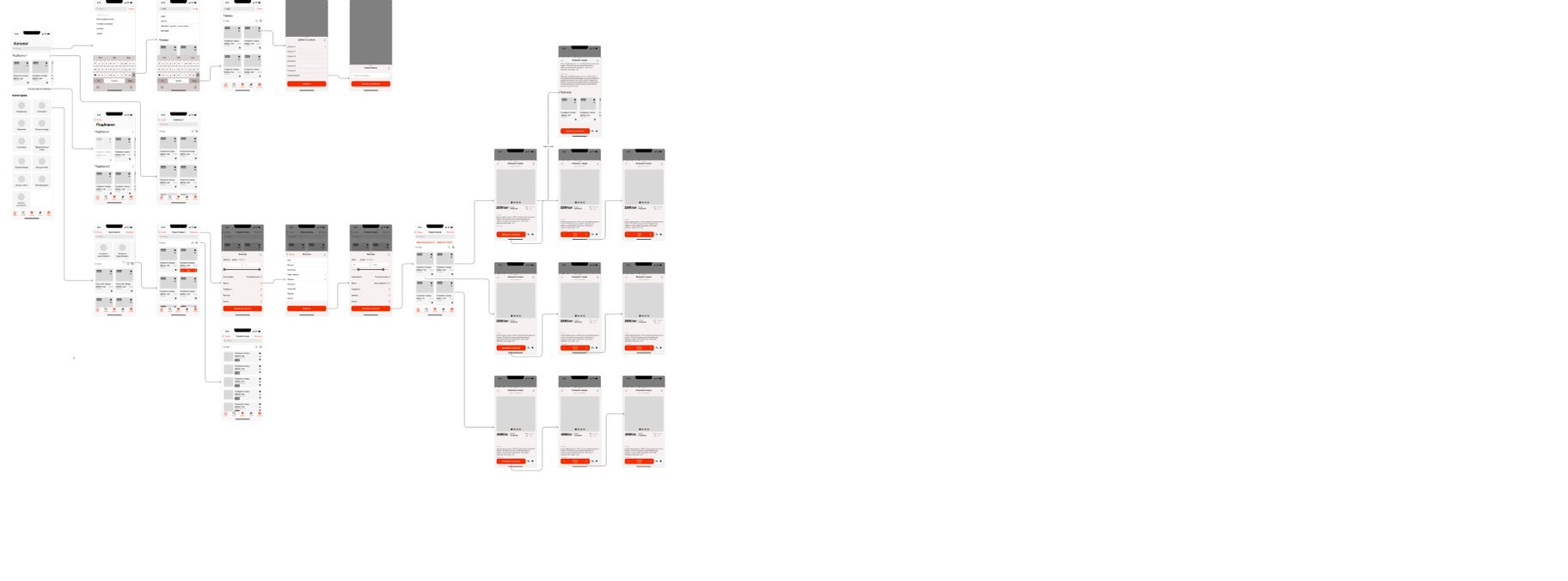
Information Architecture
Imagine a project as an iceberg: visual concepts and prototypes are only the impressive tip, while the real power lies underneath.
Below the surface live the business requirements that define the strategic direction of the product.
These deeper layers are exactly what allow the interface to be not just visually appealing, but truly effective — delivering real value both for the business and for users.

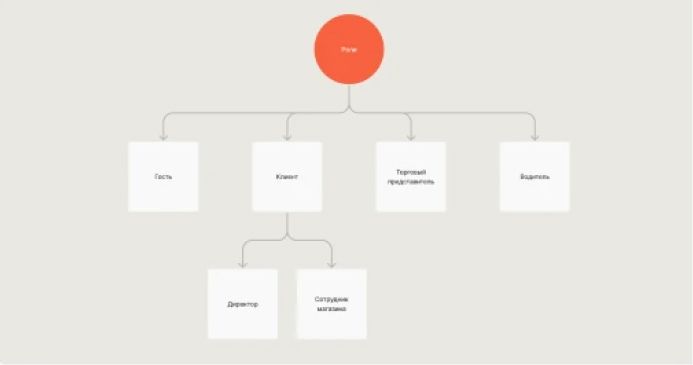
Roles
We defined roles (guest access, client, sales representative, driver) as the foundation for multiple usage scenarios, formulating hypotheses for each with clear variables: what will happen if we change the process or the interface.
Prototypes
Using prototypes as a tool to fight assumptions and hypotheses — turning ideas into real models and testing them immediately. Some scenarios were rejected right away: for example, when the prototype concept was not confirmed by research or business constraints.
We used Lean UX: Think-Make-Check (we create a prototype, test it with users, and learn from the results). This approach allows us to quickly see what actually works and what is a waste of resources, focusing only on what truly brings value.
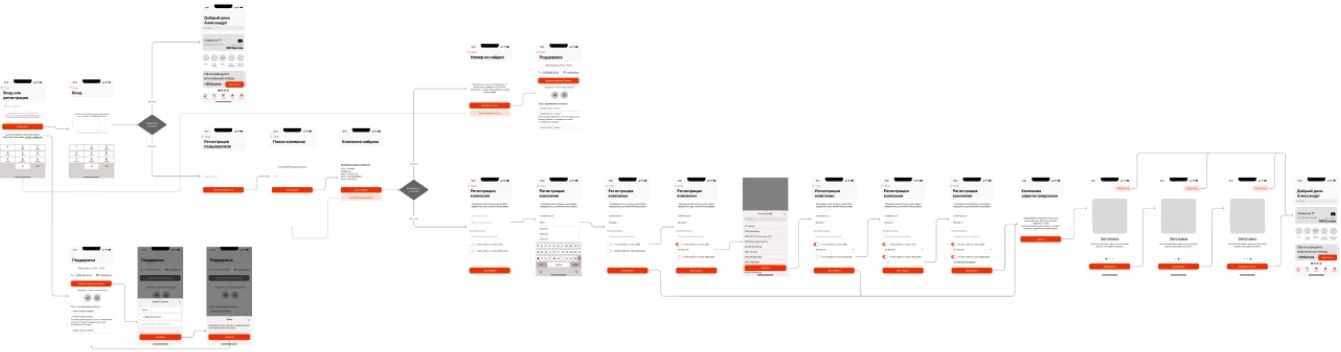
Authorization
The authorization flow was developed considering different user roles. Extra steps and fields were removed, and the sequence of actions was optimized. Through prototype testing we identified and removed inefficient scenarios, speeding up entry and reducing friction. Now users get to the right section faster and can start working immediately.
Home
The structure is designed to reduce the time to the first meaningful action. Personalization and the bonus balance motivate users to engage with their benefits. Recommendations and selections follow the principle of “minimal choice,” making it easier to move forward without overwhelm.
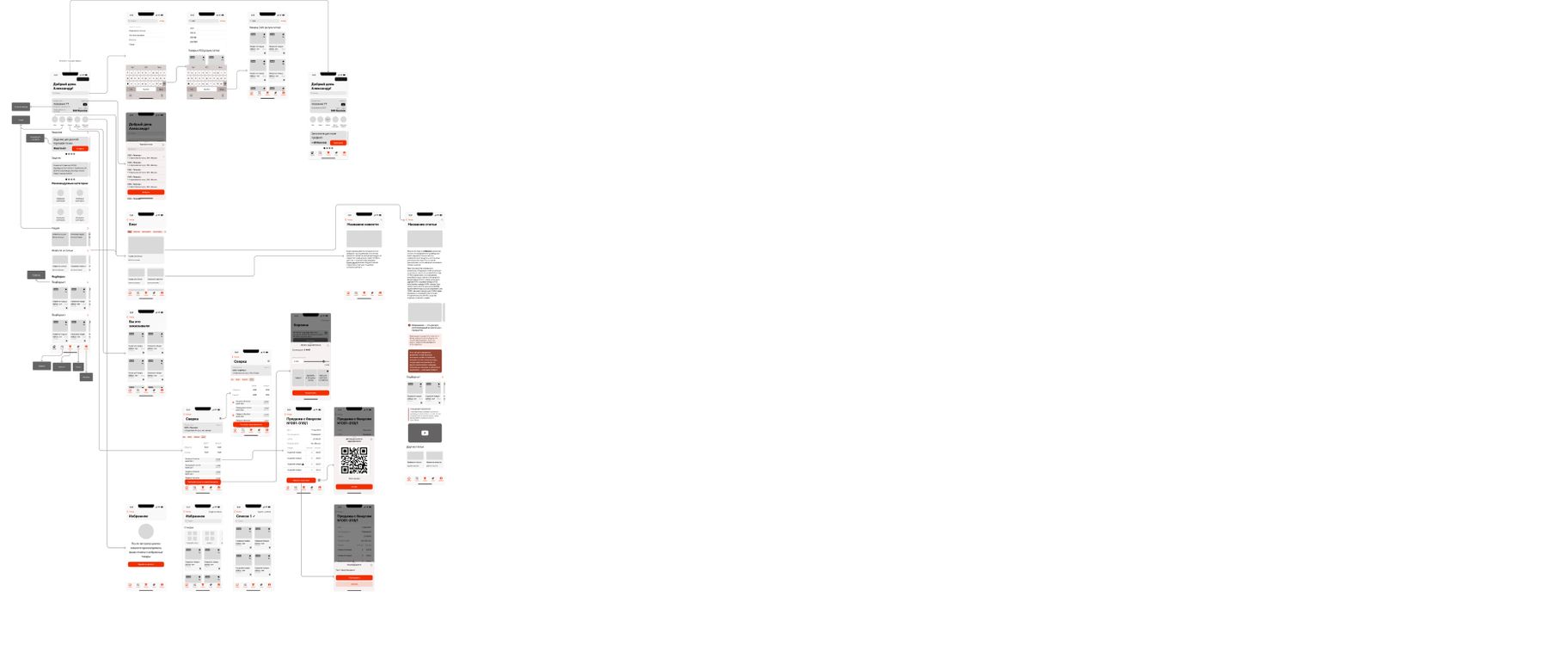
Catalog
The catalog is optimized for quickly finding the right products: built-in search with smart suggestions, filters by price, taste, promotions, and brands help narrow the selection. Collections and categories are structured so users immediately see a relevant offer. Product cards contain key information and a clear “Add to Cart” CTA. All actions are reduced to a minimum number of clicks, shortening the path from discovery to purchase.
Profile
The profile screen brings together all key information and actions in one place: company details, the user’s role, bonus balance, and progress. It also includes quick links to repeat-purchase orders with personalized offers.
Period-based statistics provide transparency and lay the foundation for future gamification of repeat purchases.

Checkout
We redesigned the checkout flow from scratch, focusing on minimal steps and full clarity. Final totals, bonuses, and active promotions are shown directly in the cart, reducing errors and misunderstandings.
The step-by-step flow — selecting a date, payment method, and confirmation — is optimized using Baymard and NN/g best practices.
Integrating promotions directly into the cart drives upsell and boosts average order value. As a result, checkout became a key driver of CR, LTV, and retention.

Prototype result
The prototype became a working tool for aligning the team and business goals. We validated key hypotheses, removed barriers, and adapted scenarios to real user patterns, creating a scalable foundation that supports higher conversion, average order value, and retention.
Click-prototype in Figma. Tested with 5 HoReCa clients (SUS = 71/100).

Design
After validating the concept, we moved on to creating a high-fidelity design while preserving the structure and logic of the scenarios. Based on the approved solutions, we built a UI kit with auto-layout components, variables, and design tokens, which ensured scalability and interface consistency. This approach allowed us to quickly fill the project with realistic content, test visuals on live scenarios, and prepare the design for handoff into development.
Authorization
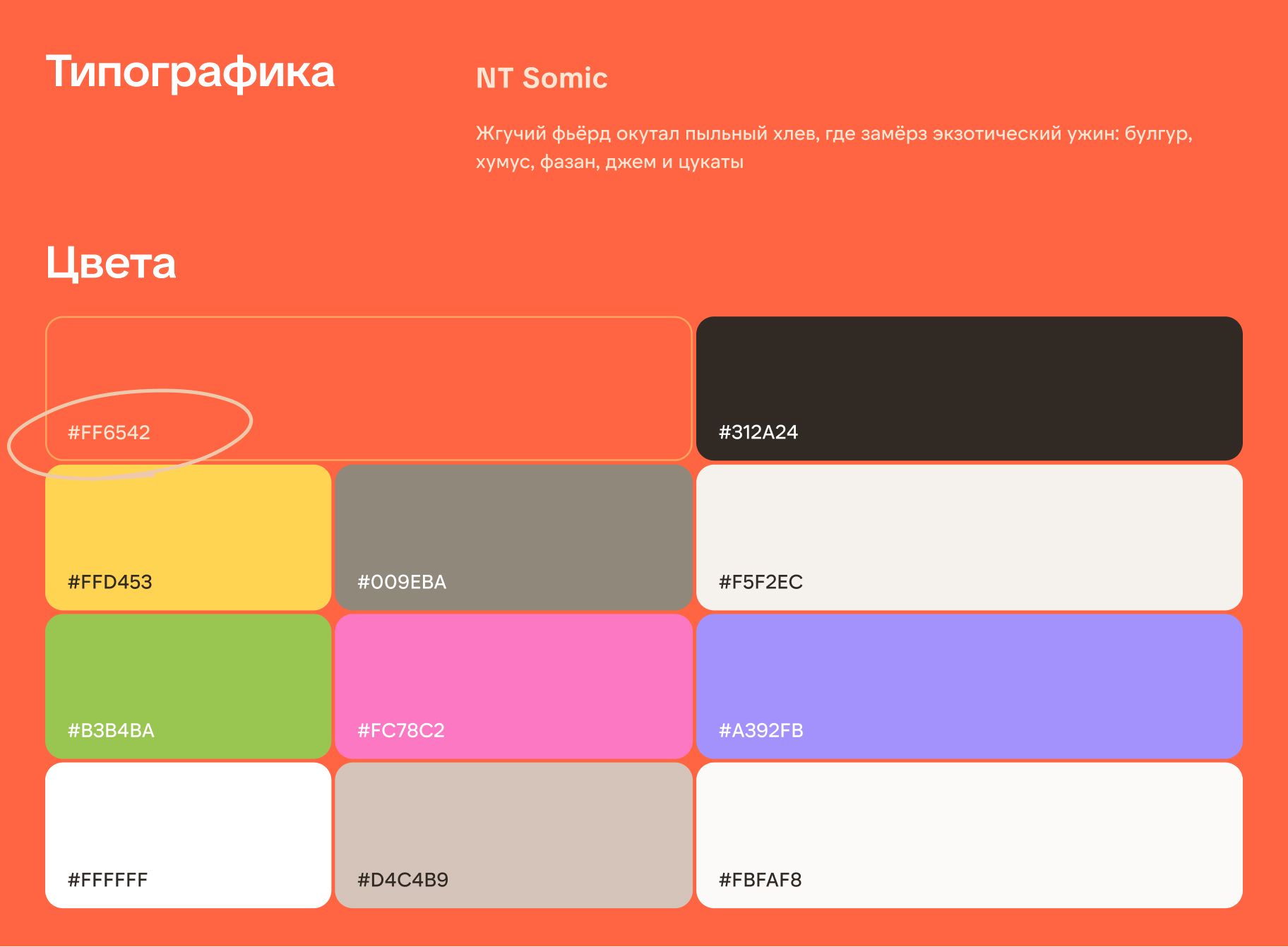
The welcome screen focuses on brand positioning through a storefront with key partners and a strong offer, while giving the user two paths — quick guest access or full registration.
Previously, the client had a long registration form with no guest access. 21% of users abandoned their cart when they were asked to create an account. After adding a guest-mode option, the CAC metric decreased by 7%.
The phone input screen was optimized for the minimum number of actions — a single authorization step with instant validation. This reduces the time to first login and decreases early-stage churn.
Home
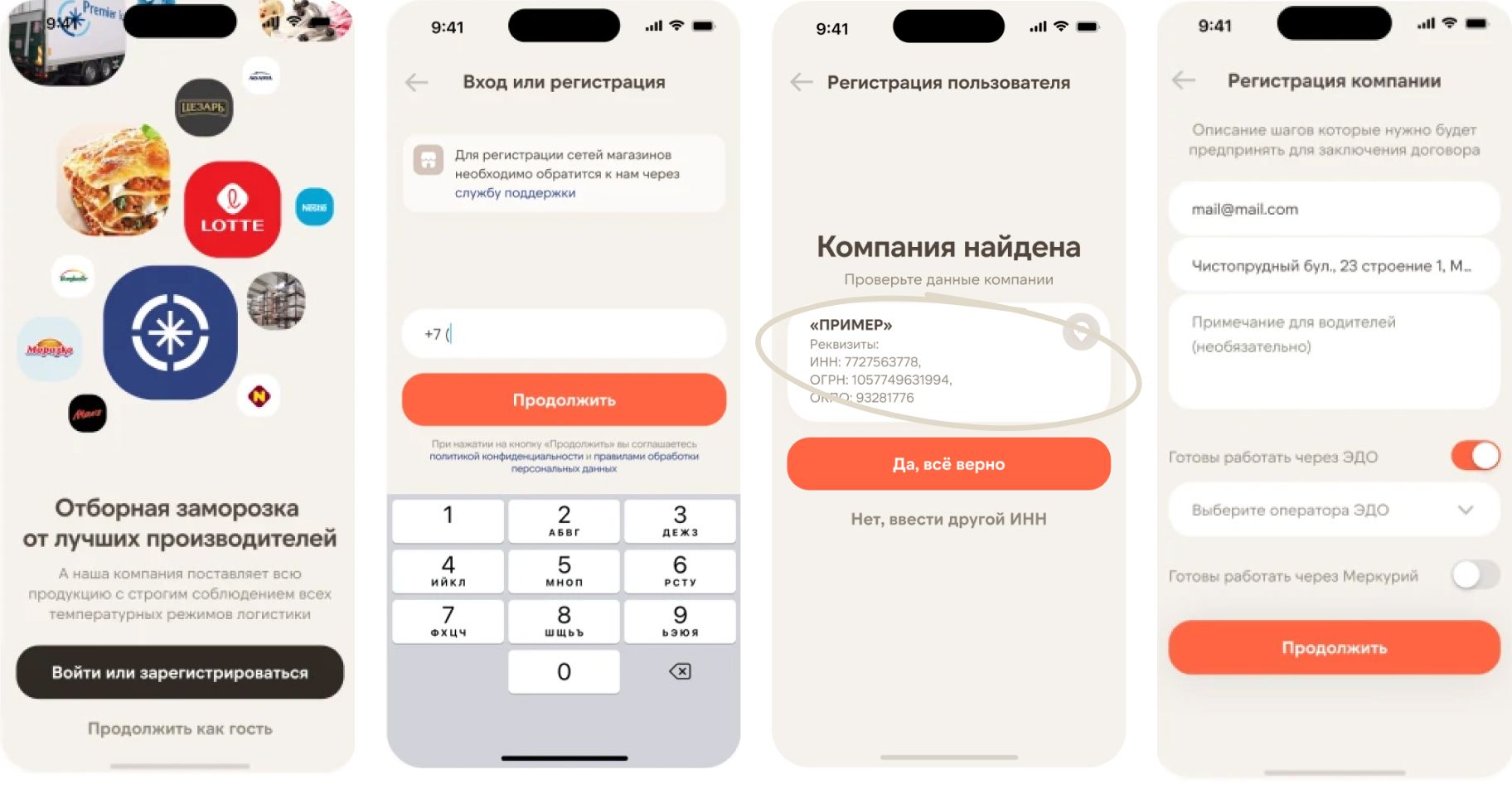
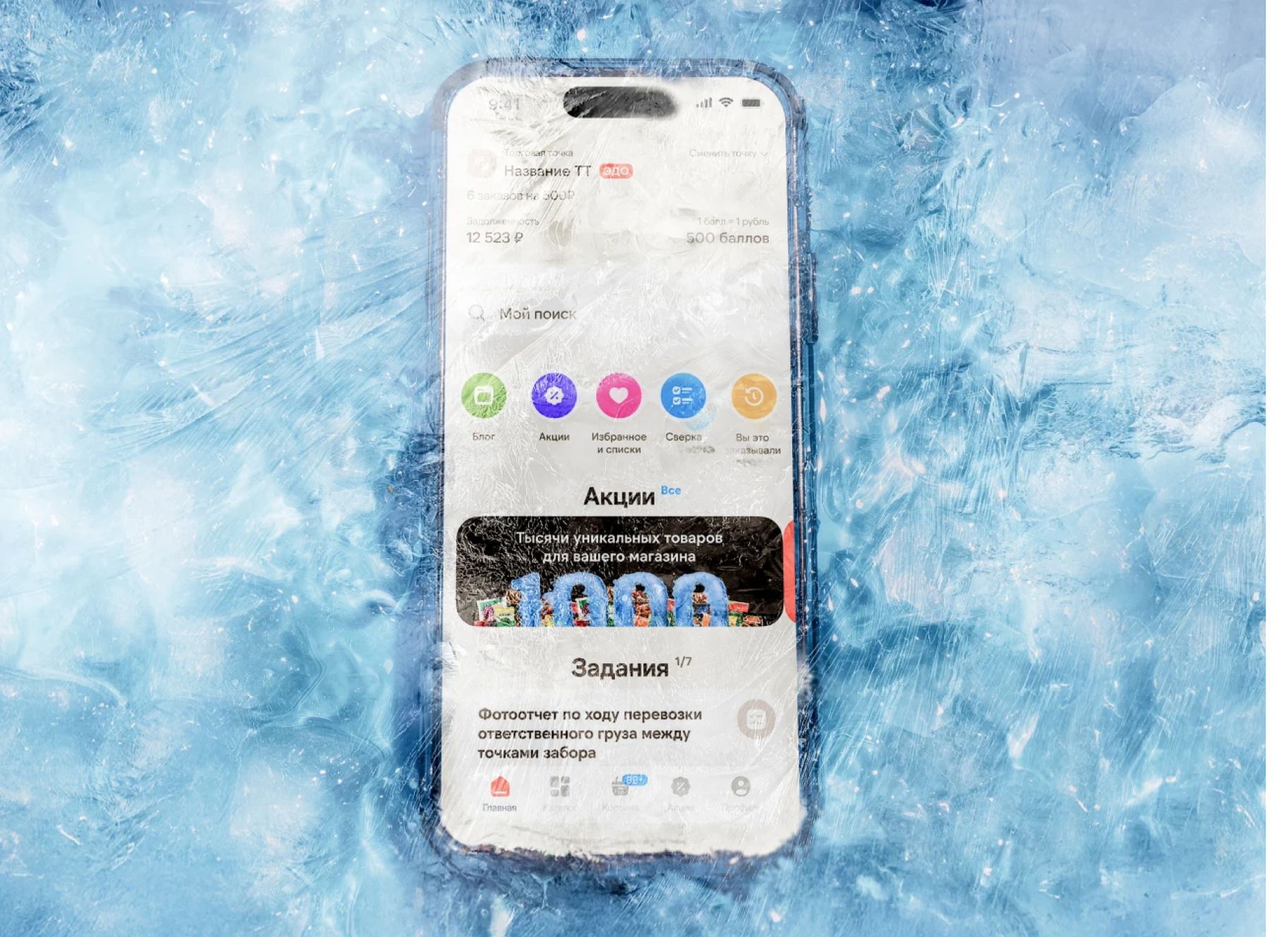
The home screen is designed as the central entry point that instantly gives users access to key features — search, promotions, tasks, and personalized suggestions.
Quick shortcuts allow users to jump straight into the needed scenario, reducing the number of steps to the target action.
Integrating promo blocks and tasks on the home screen encourages repeat visits and boosts conversion into orders.
We introduced quick lists as a core foodtech pattern that shortens the path to purchase and increases LTV. Users can instantly add an item to the right list without extra steps, making repeat orders effortless. In testing, the feature received high scores for convenience and time savings.
Search combines fast product access, autosuggestions, and recommendations, turning it into a powerful upsell tool. Query history and a “You ordered this before” block return users to their usual purchases, while relevant suggestions keep them engaged in the order flow.
The screen helps sales reps and logistics teams manage their daily visits efficiently. It consolidates the entire plan for the day in one place: number of orders, total deal value, photo-report statuses, and completed tasks.

Catalog
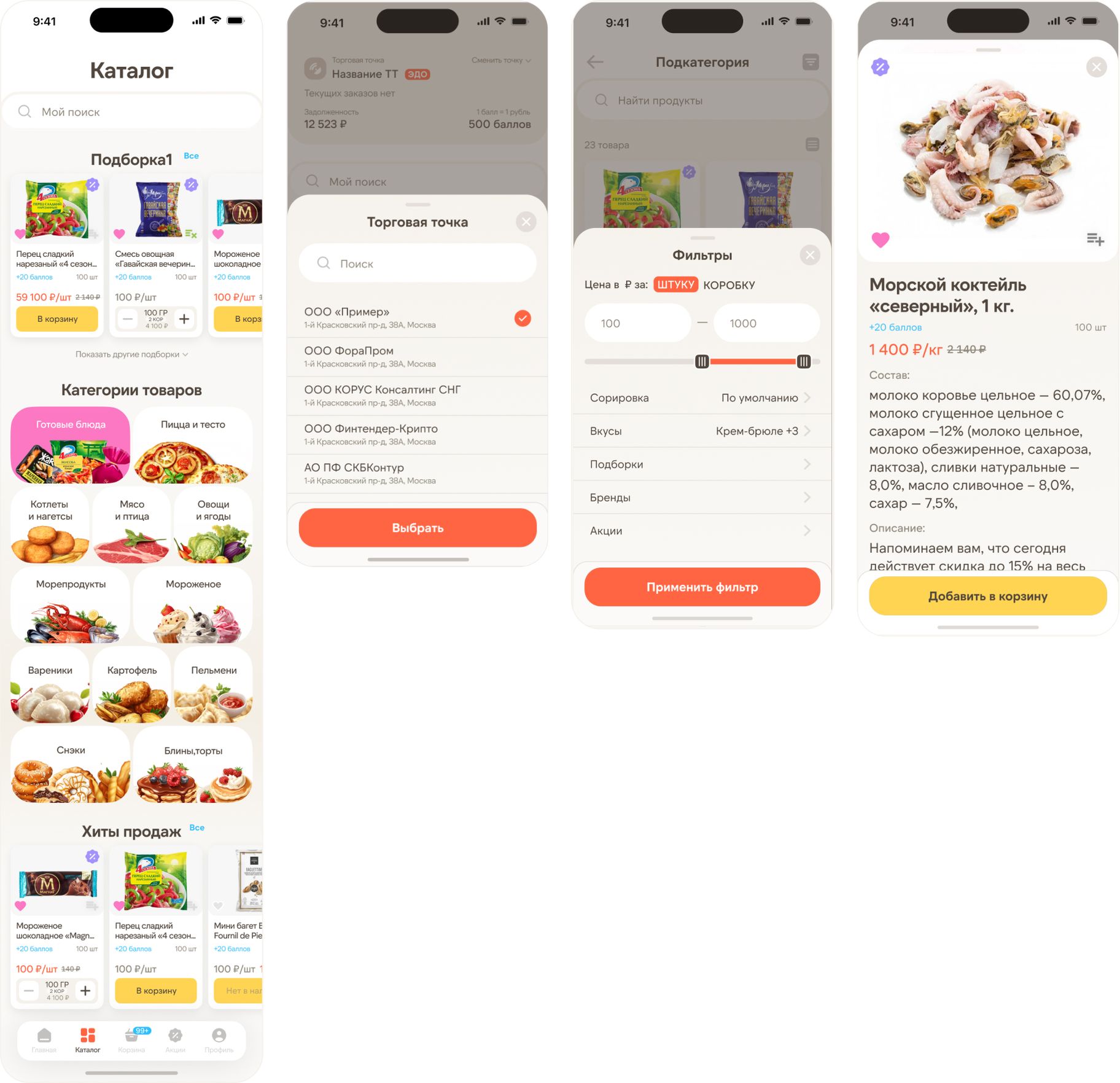
The catalog is designed as a fast, intuitive tool that shortens the path from search to purchase. Categories and collections are visible upfront, while subcategories and filters are available in one tap. Product cards highlight price, rewards, and promotions, and built-in bestsellers and promo cues encourage upsells.
The main catalog screen combines curated selections and key product categories, helping users quickly move from broad browsing to the right segment. Bestsellers and promo blocks are built into the feed to encourage impulse purchases.
The store selection screen is integrated into the user flow to filter products instantly by availability, assortment, and price level. This reduces order errors and speeds up checkout.
Interactive filters help narrow down products quickly by price, flavor, shape, and packaging type. This approach streamlines the search flow, removes extra steps, and supports conversion to “Add to cart”.
The product card provides all key decision-making information: ingredients, price, rewards, and promo conditions.
A highlighted “Add to cart” button with a special offer cue encourages immediate purchase.
Cart
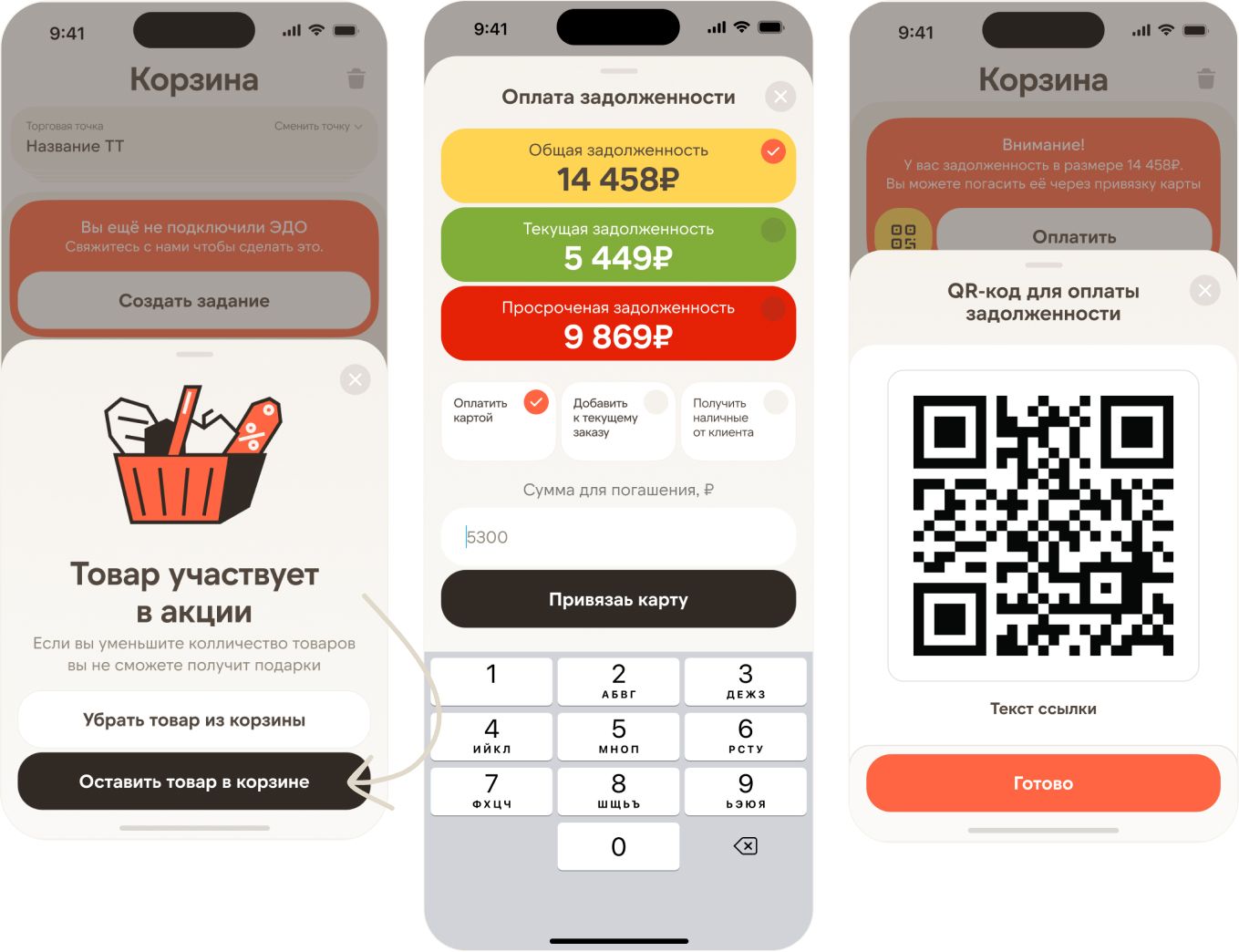
The cart screen is optimized to boost CR and AOV: the list is fully editable, promotions and rewards are highlighted, and an “Offers” block suggests add-ons that increase average order value. Any outstanding balance is surfaced in a prominent module for instant payment. A minimum order progress bar encourages upsell, and a fixed “Place order” CTA speeds up checkout and repeat purchases.
The interface shows when an item is part of a promo and warns when reducing its quantity may remove the gift. The user can remove the item or keep it unchanged.
An always-visible three-color “traffic light” status system turns debt control into a subtle gamification element. The red overdue block works as a visual alarm — users naturally want to clear it. Yellow indicates pending payments, green confirms success. This approach reduced overdue balances by 12%, strengthening motivation and speeding up payments.
The overdue balance is highlighted with a clear notification, and the user can pay instantly via a QR code. This makes the payment process fast and seamless right from the client’s phone.
Promotions
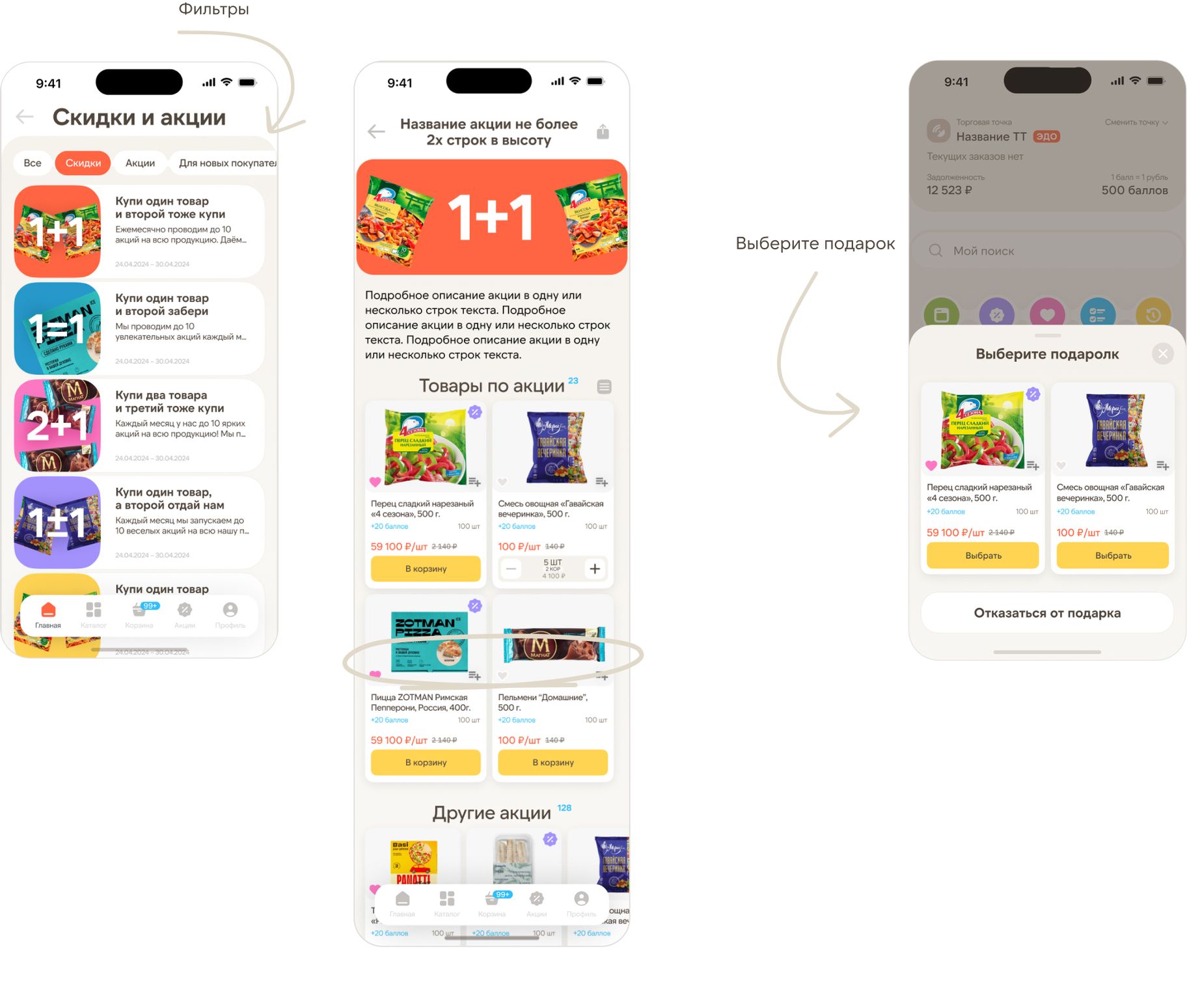
The Promotions section helps increase average order value and boost retention by collecting all active offers in one place. Users get quick access to personalized deals, promo conditions, and participating products — encouraging impulse purchases and shortening the path to checkout.
Filters and segmentation in this section make it easy to quickly find relevant offers by switching between tabs, increasing conversion and improving the selection experience.
All promotional items are collected on a single screen, which speeds up selection and adding products to the cart without leaving the flow. The “Other promotions” block offers relevant cross-sell and upsell items, increasing average order value and retention.
The “Gift selection” screen is integrated into the checkout flow, strengthening the user’s motivation to complete the purchase. The ability to add or decline a gift is done in one click, without extra navigation. This approach increases purchase conversion, boosts average order value, and creates a positive user experience by adding a sense of extra value.
Orders
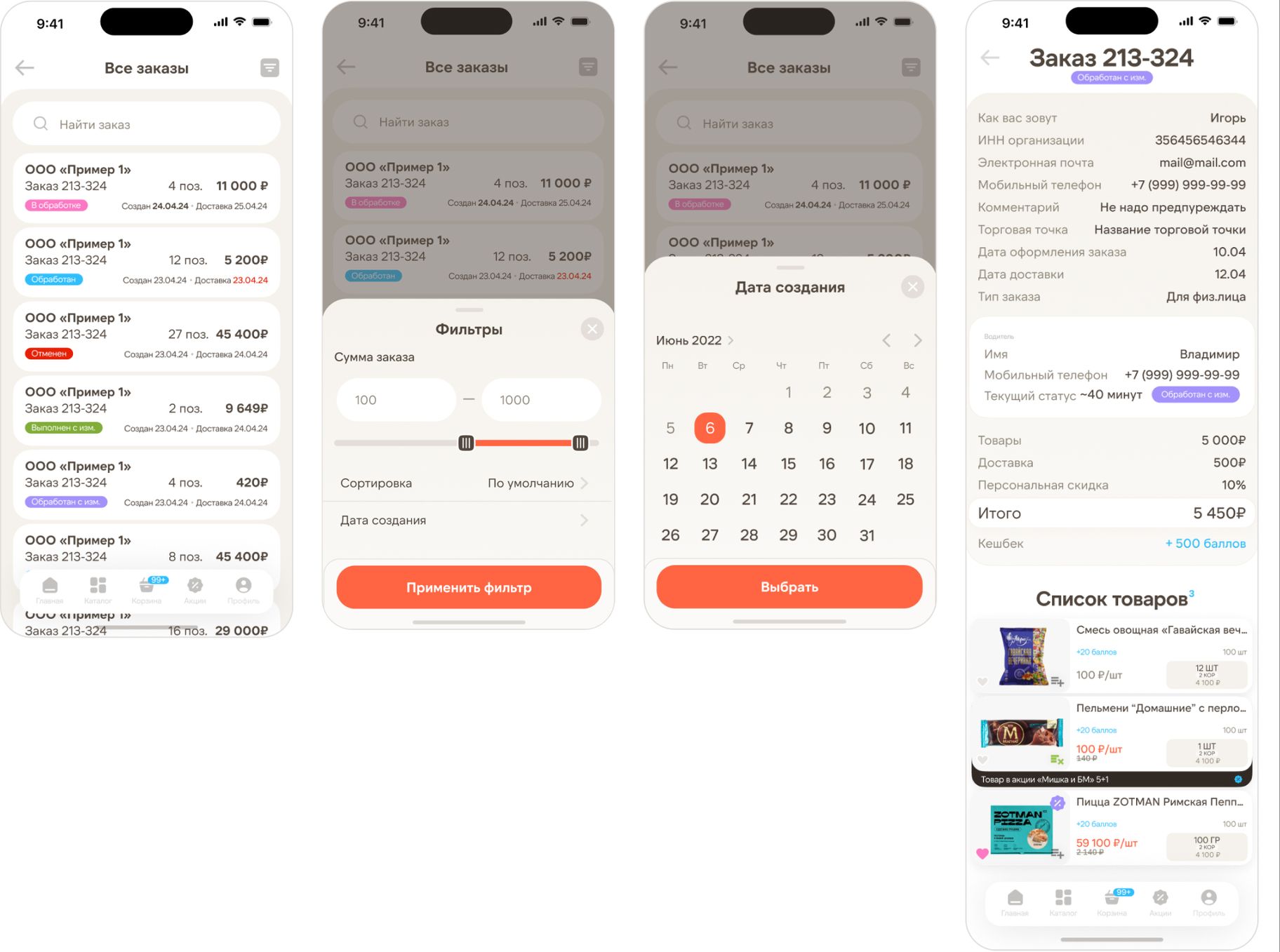
The orders screen is designed to make it as easy as possible to manage and process current and past deliveries. Users see a list of orders with key statuses and amounts right in the feed, while built-in filters by date and amount help quickly find the required transactions.
The order list displays all orders in a clear visual structure with statuses, amounts, item counts, and dates, providing a quick progress overview without opening details. Color tags and key parameters make it easy to assess each order and jump to the one you need. This speeds up daily workflows, while built-in search and filters help quickly find the right orders for analysis or repeat purchases.
A flexible filtering system allows users to narrow results by key parameters — from order amount to creation date. This approach reduces time spent searching for needed items and makes working with orders more convenient.
An intuitive calendar makes it easy to find orders by the required date or time range, saving time and simplifying work with order history.
The orders screen is designed with a focus on structure. A detailed order card contains all essential information and allows users to repeat a purchase in one click, saving time and simplifying recurring deliveries.
Profile & Support
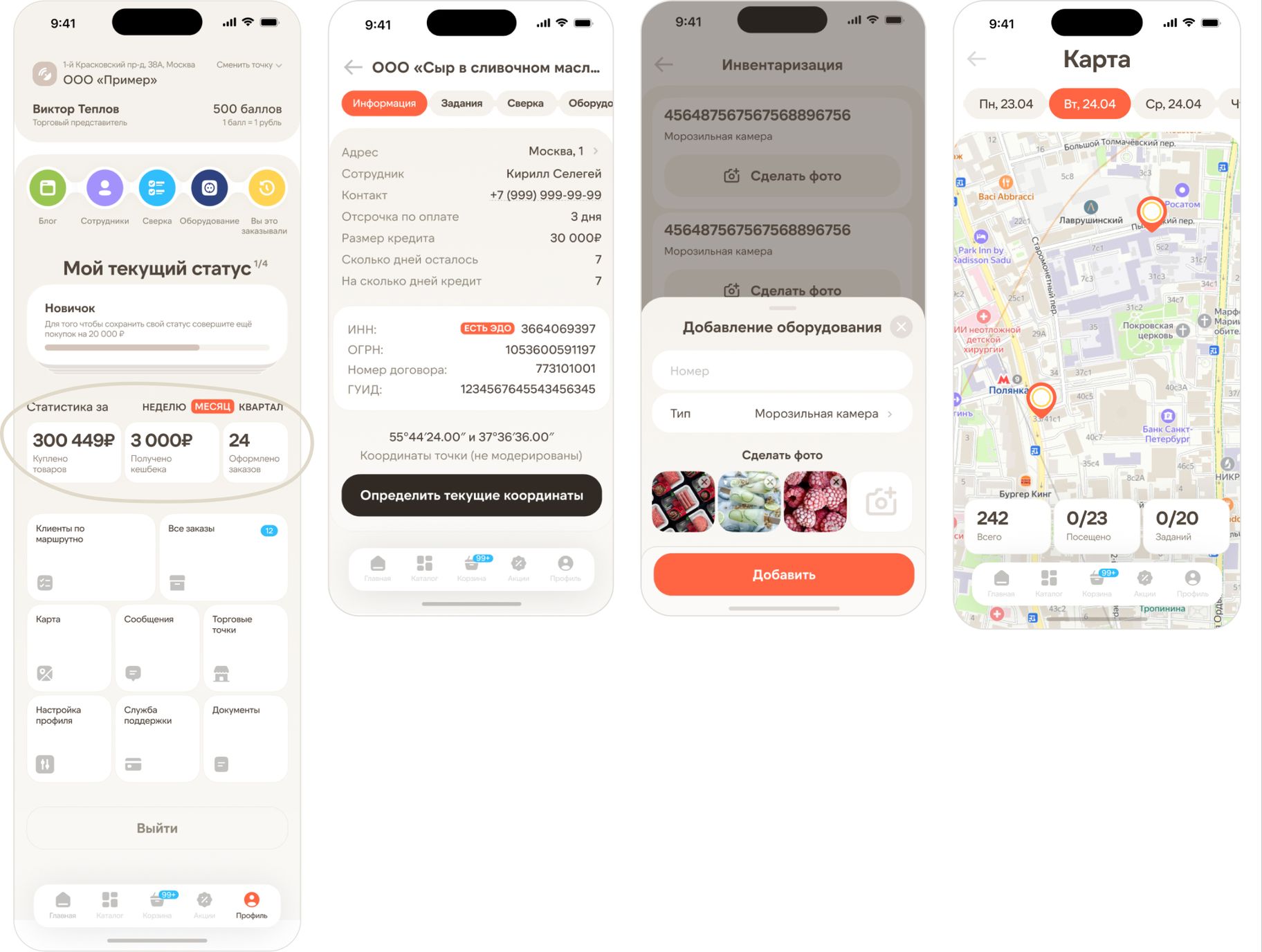
This section brings together the key functions for managing the account and handling day-to-day interactions with the service. Users immediately see their status, order and bonus statistics, helping them track personal metrics and progress. Additional tools for profile settings, adding equipment, and working with the map are also available — all in one place, without unnecessary navigation, making the service easier to use and more transparent for the user.
The profile dashboard brings key metrics and tools together in one place — status progress, period statistics, and quick access to essential sections.
Right from the profile, users can select the needed retail location from the list and instantly access all key information — from contact details and payment terms to credit limits and current coordinates. This approach reduces search time and helps respond to changes in real time.
The inventory feature allows users to quickly add equipment to the system by specifying its number, type, and attaching photos. The compact input form minimizes the time needed for data entry in field conditions.
The map of retail locations, linked to routes and tasks for the selected day, provides a clear view of visit geography, helps quickly assess task progress, and plan movement. Interactive markers offer fast access to location details, while the statistics at the bottom help track workload and daily priorities.
The equipment list is structured and easy to scan. Instant access to inventory checks simplifies control over equipment status and reduces errors.
The screen highlights a personalized support format that builds trust and helps resolve issues faster.
Summary
A unified design brings together all key workflows — orders, the catalog, locations, and equipment — speeding up everyday tasks. The interface is built on clear visual structure, filters, and status cues for fast decision-making. We integrated proven food-tech patterns throughout the product: quick lists, repeat orders, relevant recommendations, and a task map.
Results
We built a digital platform with a clear, memorable, and friendly interface that streamlined the entire workflow for sales reps — from placing orders to equipment inventory.
By combining visual clarity with an emotional, human-centered approach, we made the service not just functional but genuinely pleasant to use every day.
Key metrics:
- +28% repeat orders through the app in the first 6 months
- −35% time spent creating an order for field reps
- +19% average order value when using personalized recommendations
We helped a wholesale frozen food distributor move from offline sales to a fully digital channel, and since the app launch, the online share of total revenue has grown to 38%.
- Client
- Premier Ice
- Role
- Product Design · UI/UX
- Deliverables
- Information architecture, User roles and hypotheses, Click prototype tested with 5 HoReCa clients, UI kit with design tokens, Mobile app design

